Quoting for UK builders
Quotes priced like a builder would, in minutes.
Put in the sizes. Bricken works out the materials, labour and waste with 60‑plus calculators, at your own rates and markups. Your client gets a clear PDF quote, and you see your margin before you send it.
7 days free with everything in Builder, no card needed to start. Then plans from £19 a month. See pricing.
Have an offer code?
An offer code makes your first month free, with everything unlocked and no card. Sign in, and it’s filled in for you when you set up your company.
How quoting works
Three steps from a site visit to a quote in the client’s inbox.
Add the work
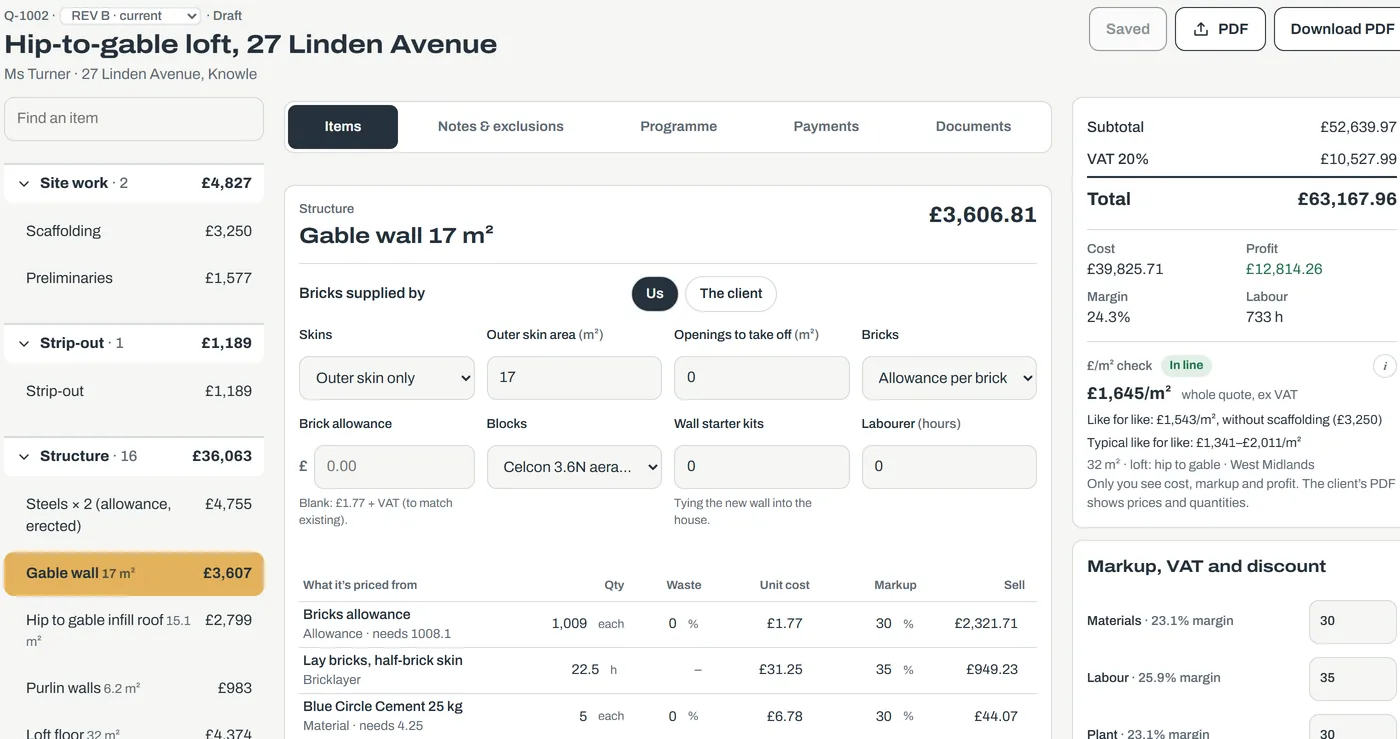
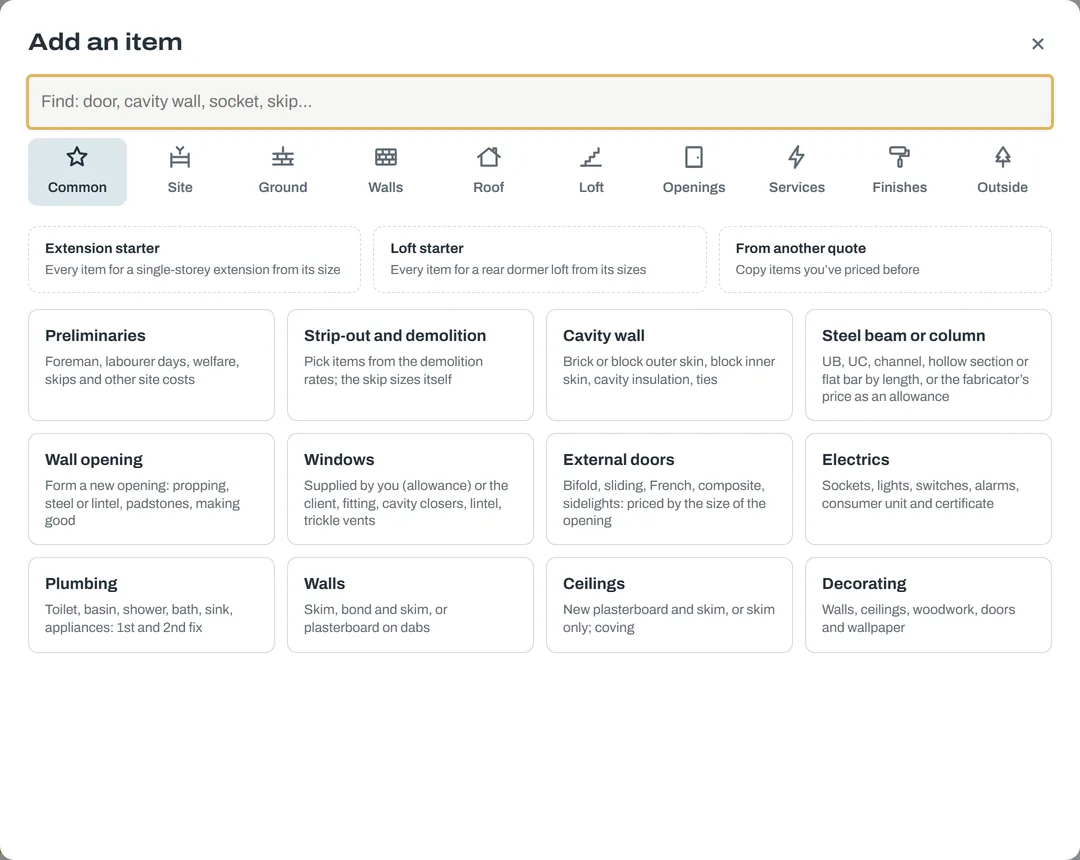
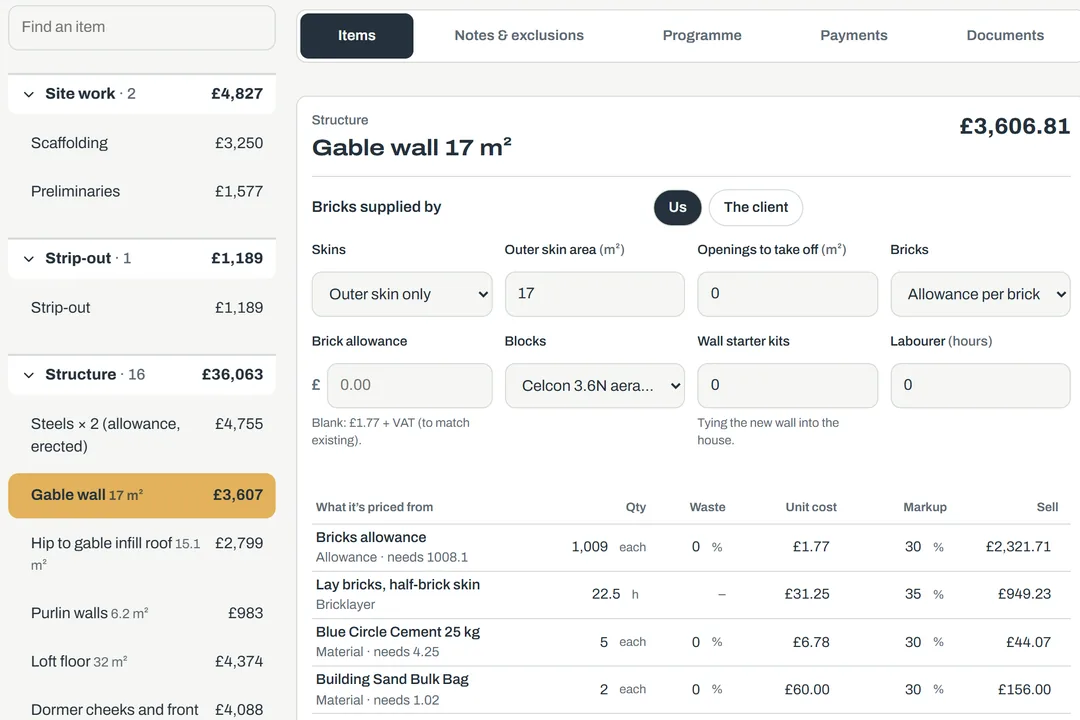
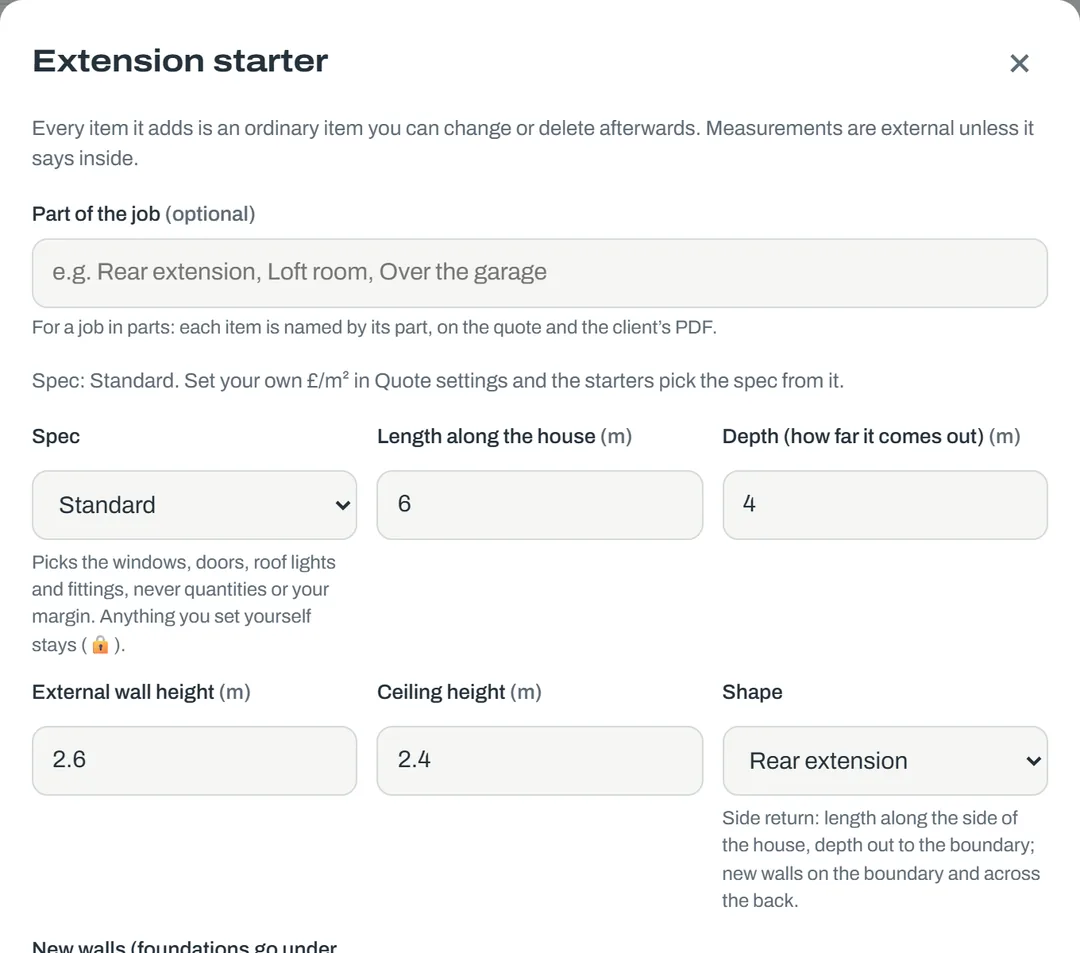
Pick the items for any job, from a single wall or a bathroom to a full extension. 60‑plus calculators work out the materials, labour and waste from the sizes, for walls, roofs, floors, windows and doors, steels, plastering, tiling, electrics, plumbing, groundworks and more. For an extension or a loft, a starter puts every item in at once.
Adjust it to the job
Change any size, pick the brick, the roof, the windows. Every calculator shows the lines it priced, and you can type over any figure.
Send the PDF
Your logo, your details, what’s included and what isn’t, the price by section, the programme and the stage payments. Revisions keep the one before.
We check our material prices against UK merchants every week and update the ones that have moved. Got a better price from your merchant? Put it in your pricing library and Bricken uses yours on every quote.
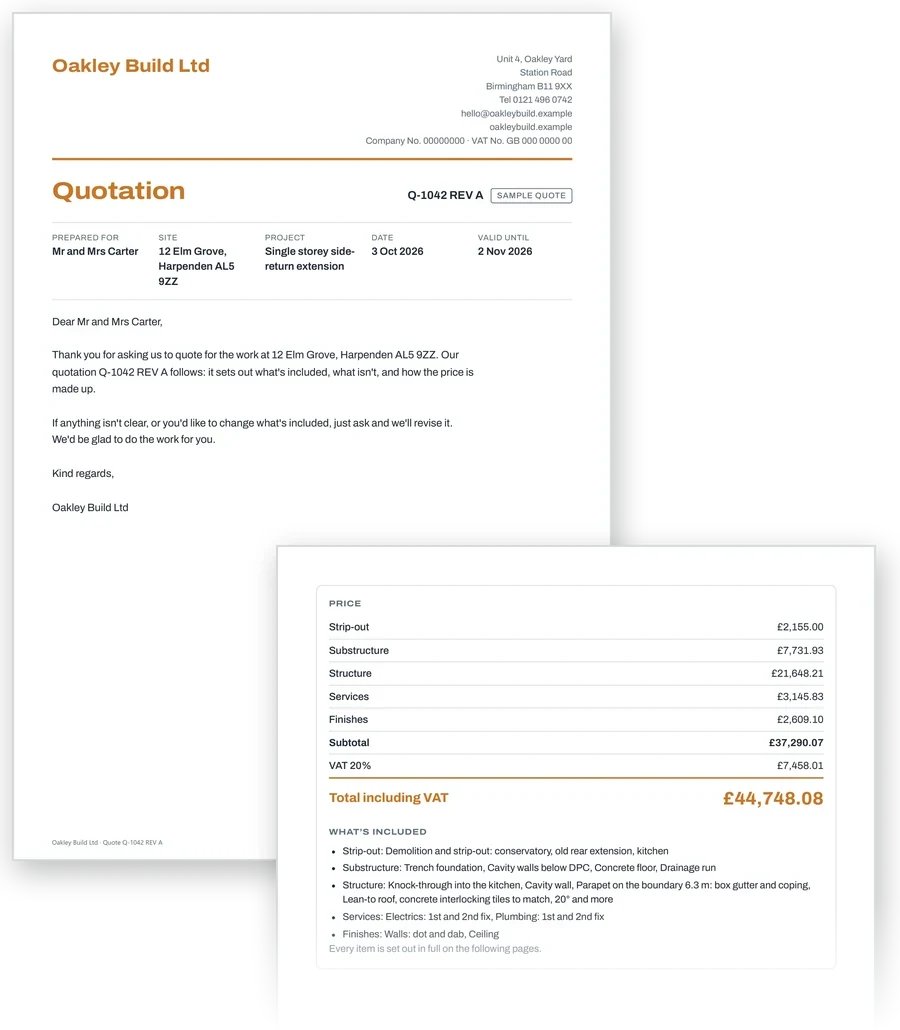
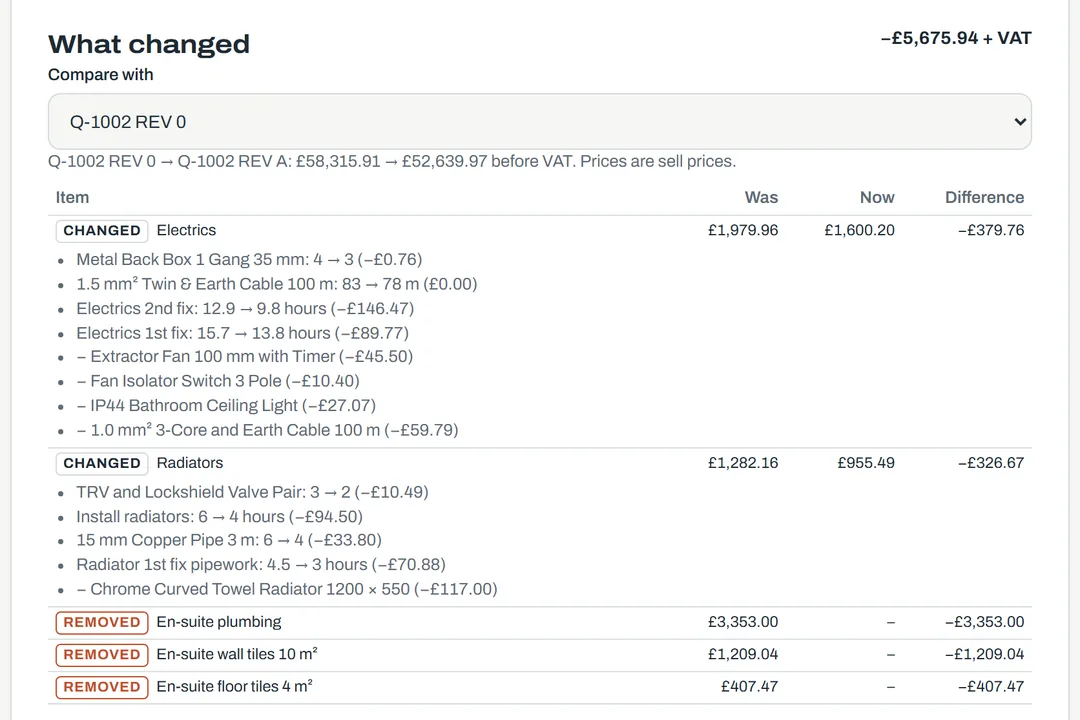
A quote your client can read
A proper quotation with your name on it, not a spreadsheet. The client sees prices and what’s included; your costs and margin stay with you.
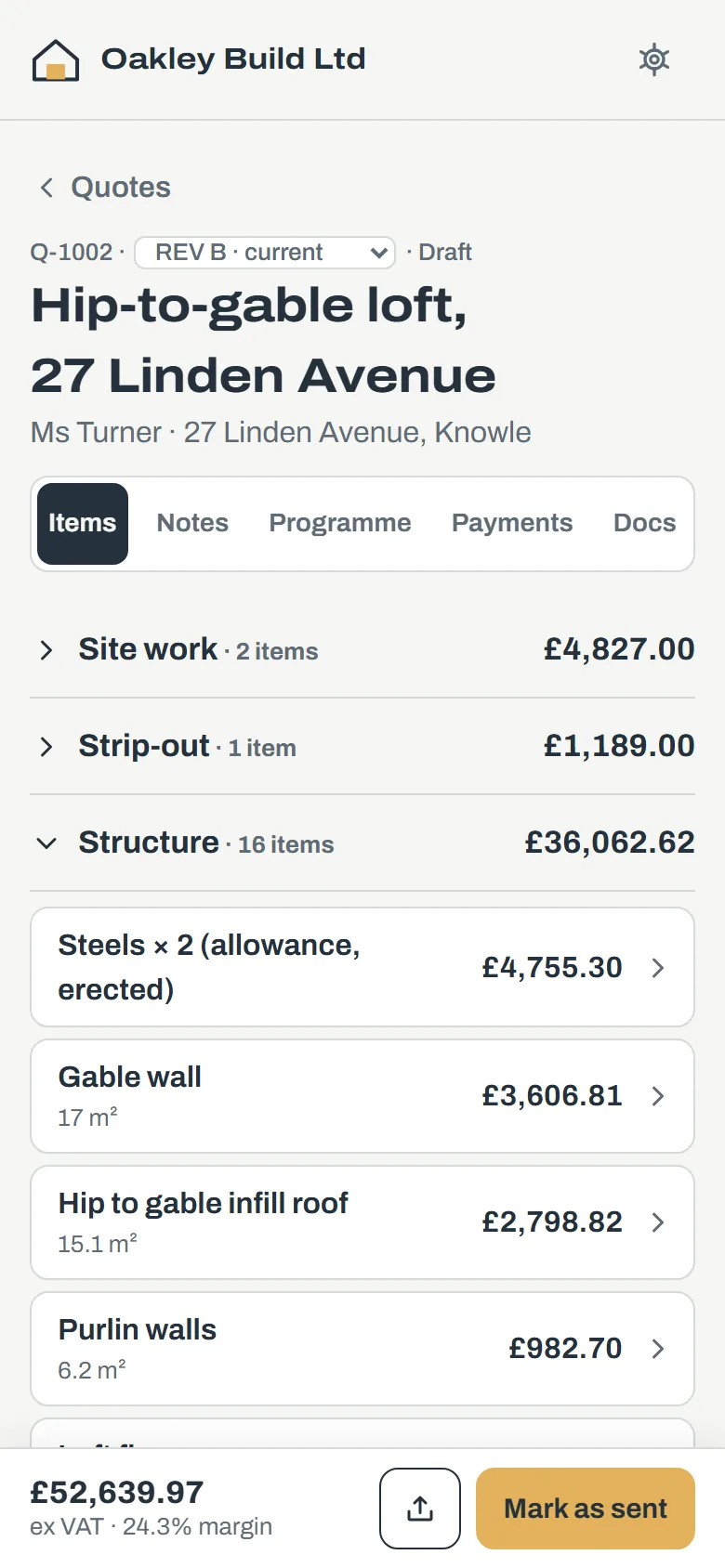
Priced by section
Substructure, structure, services, finishes: each with what it includes, and a clear total with VAT.
Included and excluded
Allowances shown as allowances, client-supplied items marked, and your standard exclusions on every quote.
Revisions that keep the history
REV A, REV B: each one locked once it’s sent, so you can always show what the client agreed to.
The programme and payments come with it
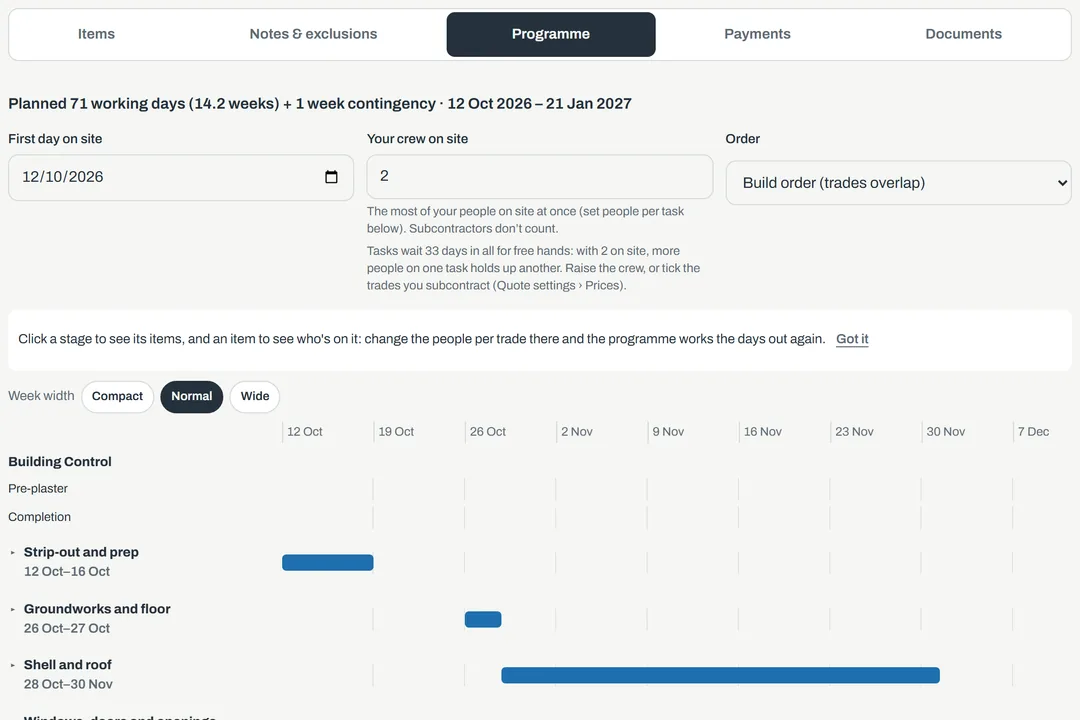
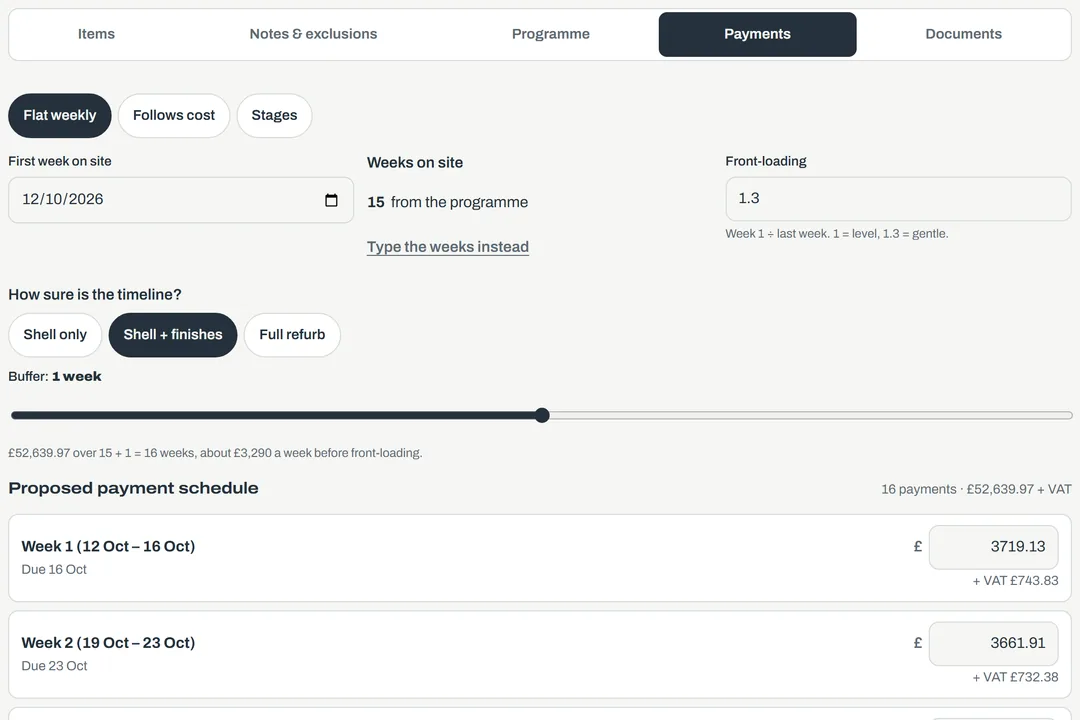
From the same items, Bricken lays out the job week by week and builds the stage payment plan. Change a start date or your crew size and it all moves.
A programme the client understands
Trades in build order, with Building Control visits marked, and how many working days the job takes.
Payments that follow the work
Stage payments or weekly, worked out from the programme, so you’re never funding the job yourself.
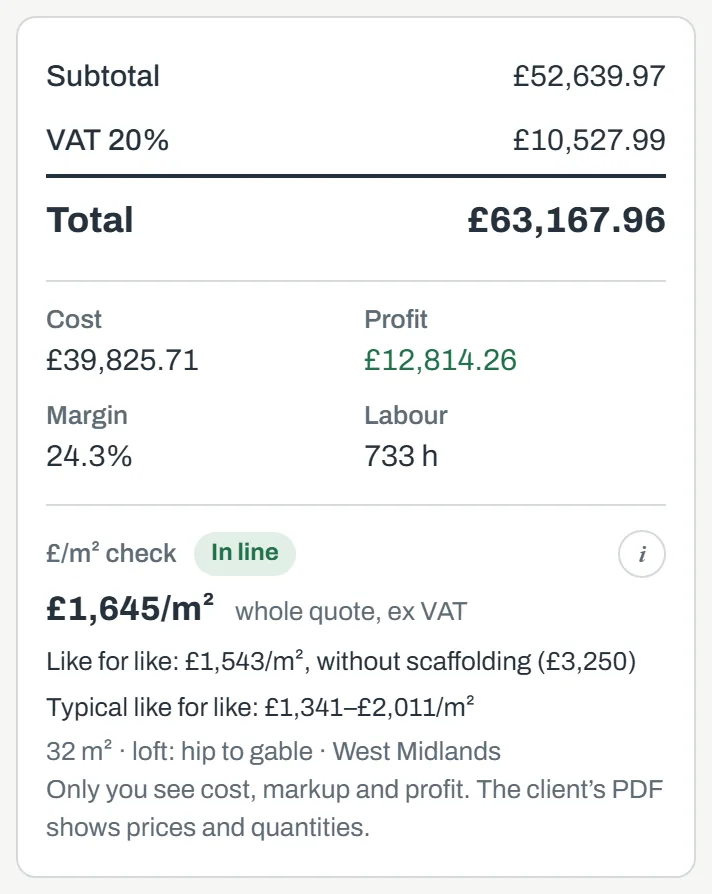
Know your margin before you send it
Cost, profit and margin on every quote, with your own markups on materials, labour, plant and subcontractors. Only you see them.
Your rates, not ours
Your trades’ day rates, your merchant prices and your markups. Set them once and every quote uses them.
Quote against actual
When the client says yes, the quote becomes the job’s budget. As the receipts and days come in, you see where you priced it right and where you didn’t.
Then run the job
When the client accepts, the quote becomes the job: its budgets, its programme and its payments. Your crew, your costs and your cash all in the same place.
Loft conversion
14 Elm Road, Solihull
Your crew tap in on their own phone
Arrived and Left, from site, with a site check if you want one. Workers and subcontractors get their own simple app, and adding them costs you nothing extra.
They see the job, not your figures
Crew see job names, addresses and their own days and receipts. Never your prices, your costs or your profit.
English or Polish
Each worker picks their language. Their earnings are grouped by CIS tax month, and they get their CIS statements too.
Cards and inductions
CSCS cards and tickets with their expiry dates, warnings before they run out, and a record of who has been inducted on each site.
Site photos on the job
Progress photos go straight onto the job, with location data removed on the phone before they’re uploaded. 25 GB of storage comes free.
The site check takes one reading at Arrived and one at Left and keeps only the distance from the job. Nothing is tracked in between, and you can turn it off for each worker.
Who worked where
6 – 12 Oct · all jobs
See who worked where, at a glance
One grid for the week or the month: every worker down the side, every day across, each job in its own colour.
Week or month
Step back and forward through the weeks, or see the whole month. Pick one job to see only who was on it.
What you owe, worked out
Each worker’s days and pay for the period, and what’s still waiting for approval. Record a payment and it’s ready for their CIS statement.
Labour on each job
How many days each job has taken so far, so you can see which one is eating the time.
Every job photographed, and easy to find
Your crew take progress photos as they work. Each one lands on the right job, dated and named, so a year from now you can still find what’s behind the plasterboard.
Sorted as they’re taken
Photos go onto the job they were taken for, grouped by day, with who took them. Nobody renames or files anything.
Find one in seconds
Open the job, go to the day, or show only one person’s photos. Tap a photo to see it full screen.
Proof when you need it
What went in before it was covered up, for the client, building control or a dispute. Download a whole job’s photos in one go.
Location data is removed on the phone before a photo is uploaded. 25 GB of storage comes free.
Loft conversion
14 Elm Road, Solihull · 42 photos
Mon 6 Oct · 3 photos


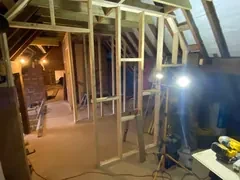
Wed 8 Oct · 3 photos

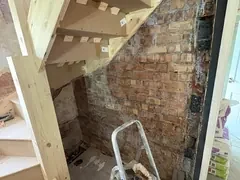

What each job is making, while it’s running
Profit leaks quietly: an extra nobody billed for, a stage payment that slipped, a receipt nobody paid back. Bricken puts each of them in front of you while there’s still time to act.
Profit on each job, as you go
See what’s left on a job after every cost, while there’s still time to act on it, not when it’s finished.
Extras get billed
Record a variation when the client asks for it. It adds to what the job is worth and to what they owe.
Stage payments chased
Every stage has a due date. You can see who owes you what, and what’s late.
Money for HMRC put aside
Cash flow shows what’s coming in and going out, and how much of it is VAT and CIS, so the tax bill is no surprise.
Pay for the time worked
Every day comes with its Arrived and Left times and, if you switch it on, whether the phone was on site. Nothing counts until you approve it.
Nothing forgotten
Receipts your crew paid for themselves sit in “To pay back” until you’ve paid them. Every cost keeps its photo.
Loft conversion
14 Elm Road · 2 of 3 inducted
Cards and inductions, sorted before anyone asks
Know that everyone on your sites holds a valid card and has been inducted, without a folder of photocopies.
Every card and ticket
CSCS, first aid, IPAF, PASMA, SSSTS, SMSTS, asbestos, CPCS and NPORS, each with its expiry date and a photo. Workers add their own and you check them.
Warned before they run out
A warning 30 days before a card expires. Expired cards are flagged on the Workers tab and on the days you approve.
Inductions and a register for each site
Record each induction, with a photo of the signed form. Every job lists who has been inducted and whose card is valid, and a day logged on a site without an induction is flagged for you.
Team
Oakley Build Ltd
Bring in your office and your foreman
Add the people who help run the business. Each signs in with their own email, on their own phone.
They add, you stay in charge
Team members add and edit jobs, costs and payments. Only you change the settings, manage the team or download the data.
Choose who approves
Let your foreman approve crew days and receipts, so they don’t wait for you to get back to your phone.
Included in the price
Team members and crew cost nothing extra.
Money in and out
Tap a month to see what made it up
Know what’s coming in, and what’s going out
Every month on one chart: money received, money still to come, and everything going out, including what’s due to HMRC.
Month by month
What came in, what’s expected, what went out and what was left, for the months behind you and the months ahead. Tap a month to see what made it up.
Tax put aside
Each VAT return and CIS payment with its amount and due date, and an estimate for the quarter you’re in, so you know what isn’t yours to spend.
Payments to come
Every stage payment in date order, with the late ones marked. Mark one invoiced or paid in a tap.
Overheads counted, so the profit is real
The van, the insurance, the phones, the accountant: the costs that don’t belong to any one job, but still come out of what the jobs make.
Set once, and they repeat
Monthly, quarterly or yearly. Each one lands in cash flow on the right dates without you typing it in again.
Your break-even
What your overheads cost a month, and so how much profit your jobs need to make before you’re earning anything.
Sorted for your accountant
Vehicles, tools, insurance, premises and the rest, each with its VAT, in the same export as your job costs.
Overheads per month
£939
5 regular payments · the profit your jobs need to cover them
The paperwork, done on the way
Receipts, CIS and VAT get done where the work happens, a few taps at a time. No shoebox of receipts and no Sunday night spreadsheet.
Snap a receipt and it’s done
Take a photo and Bricken reads the supplier, date, total and VAT, then files it against the job. You check it and save.
Your crew log their own days
Workers tap Arrived and Left on their own phone. You don’t chase anyone for hours on a Friday.
Approve with one tap
Each approved day becomes a labour cost on the right job, with CIS worked out. A receipt your crew snapped becomes a materials cost with the photo attached.
CIS statements made for you
One statement for each subcontractor every tax month, ready to print or save as a PDF, with the date you need to hand them over.
Hand your accountant one file
VAT for the quarter and CIS for the month are already added up. Download everything for your accountant in one go.
Adam N.
Loft conversion · Mon 6 Oct
Up and running in ten minutes
Sign up with your email
No password. We email you a code. Add Bricken to your home screen and it opens like any other app.
Quote a job, or add one
Start a quote from a starter, or add a job you’ve already won with its price and stage payments. Then start snapping receipts.
Invite your crew
Add each worker’s email and day or hourly rate. They start logging days the same morning.
Not VAT registered, or you’d rather not see VAT and CIS at all? Switch tax off in Settings and Bricken shows plain money in and out. It still records the tax quietly, so switching back on later gives the right figures.
Simple pricing. Start with 7 days free.
Your trial has everything in Builder and needs no card. Choose a plan before it ends to carry on. Pay monthly, or yearly and get two months free. No VAT to add.
Site
£19 a month
or £190 a year. For one job at a time.
- Unlimited quotes
- 1 live job
- Crew app, free workers
- Receipts and job profit
Builder
£39 a month
or £390 a year. For the whole business.
- Everything in Site
- 8 live jobs
- Programme and payment plan
- CIS, VAT and cash flow
- 3 office users
Contractor
£79 a month
or £790 a year. For bigger firms.
- Everything in Builder
- Unlimited jobs and users
- Priority support
Every plan: crew and your accountant never pay, 300 receipt readings a month, nightly backups, and your data downloadable any time. A live job is one with costs in the last 30 days. Cancel any time in Settings → Billing.
Questions
Can I use my own prices?
Yes. Set your trades’ rates, your merchant prices and your markups once in Quote settings, and every quote uses them. Any line can be typed over too.
Do I need to be VAT registered?
No. Tell Bricken you’re not registered, or switch tax off altogether, and it works in plain money.
Do my workers have to pay?
No. Crew sign in with the email you add for them and use their app for free.
Does it work on iPhone and Android?
Yes. It runs in the browser on any phone, tablet or computer, and you can put it on your home screen so it opens like an app.
What happens to receipts past the 300 readings?
The photos still attach to your costs. You type in the figures yourself until the allowance starts again on the 1st of the month.
What happens when the free trial ends?
Choose a plan in Settings → Billing and add a card before the 7 days are up; you aren’t charged until the trial ends. If you don’t, Bricken turns read-only: nothing is deleted, and you can choose a plan later to carry on.
Can I cancel?
Yes, any time, in Settings → Billing. There’s no contract. When your plan ends, Bricken turns read-only, so you can still see and download everything.
What happens to my data if I stop?
You can download all of it from Settings at any time. If your subscription ends, your account turns read-only, so nothing is lost and you can still see and download it.
Can my accountant use it?
Yes. Invite them from Settings and they get their own free, read-only login: CIS by subcontractor for each tax month, VAT with the reverse charge, and files ready for Xero. Or download the accountant export and send it over. For accountants.
Price your next job in Bricken.
Put tonight’s quote through it. Then run the job from your phone: who was where, what’s been done and what it’s making.
No card needed to start. Plans from £19 a month.